
OPENVIST LEARN · FREE LESSONS
JavaScript foundations: browser basics and a tested Node CLI
Twenty-five practical beginner lessons: JavaScript values, collections, functions, classes, modules, promises, a browser event, local files and tests, ending with a bounded Node JSON reporting tool.
What you will build
Learn JavaScript step by step in Node.js, then connect a real browser button to an event listener. Finish with a downloadable local JSON reporting project and automated tests.
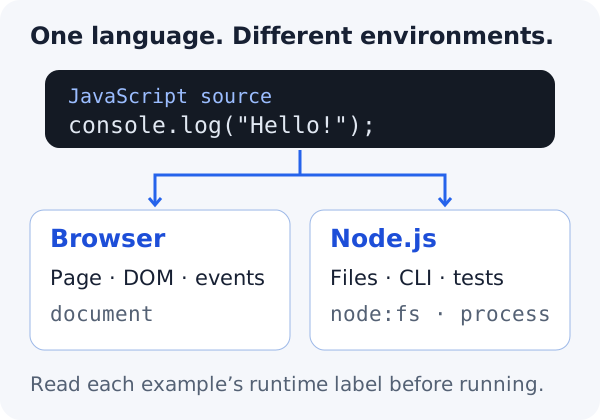
The reference runtime is Node.js 24. Source files use .mjs modules. Most examples run in your terminal; the browser lesson provides a separate self-contained HTML file. Shell commands work in Bash or PowerShell unless a more specific label is shown.
Allow about 8–11 hours including exercises. Work in a fresh practice folder and keep earlier examples under their own names. No external npm packages, account, VPS purchase or paid API is required.
This is a foundations route, not the entire JavaScript ecosystem. Frameworks, HTTP clients, TypeScript, advanced browser tooling and production deployment need separate lessons. Reading or copying code on OpenViST does not execute it.
Your learning path
- LESSON 1 · 15 MIN
JavaScript in the browser and in Node.js
Choose the right runtime and run a saved JavaScript file without confusing it with a shell command.
- LESSON 2 · 20 MIN
const, let and readable names
Store values and distinguish reassignment from changing an object.
- LESSON 3 · 20 MIN
Types, missing values and strict equality
Recognise primitive values and avoid accidental coercion in comparisons.
- LESSON 4 · 25 MIN
Numbers and explicit conversion
Check numeric input without accepting a partially parsed value by accident.
- LESSON 5 · 20 MIN
Strings, templates and Unicode length
Format messages and understand what string.length counts.
- LESSON 6 · 20 MIN
Conditions, booleans and clear branches
Write decisions that show which values are accepted.
- LESSON 7 · 20 MIN
Arrays and shared references
Read and change ordered values while noticing when two names share one array.
- LESSON 8 · 20 MIN
Loops and bounded repetition
Repeat work while keeping the accumulator and stopping rule visible.
- LESSON 9 · 20 MIN
Objects, fields and own properties
Use named fields without confusing a missing value with an inherited property.
- LESSON 10 · 20 MIN
Maps, sets and counting categories
Choose collections that make membership and dynamic keys explicit.
- LESSON 11 · 20 MIN
Functions, scope and return values
Name a small rule and keep its calculation separate from display.
- LESSON 12 · 20 MIN
Classes and instance state
Group a small amount of related state and behaviour without overcomplicating a program.
- LESSON 13 · 20 MIN
Destructuring, spread and defaults
Read named fields concisely while recognising a shallow copy and a missing value.
- LESSON 14 · 20 MIN
Callbacks, map, filter and numeric sorting
Pass a small function to an array operation and understand whether the input changes.
- LESSON 15 · 20 MIN
Errors, stack traces and deliberate recovery
Read the failing operation and handle expected errors without turning them into fake success.
- LESSON 16 · 20 MIN
Modules, imports and file names
Put a reusable function in another file and import it without mixing module formats.
- LESSON 17 · 25 MIN
Promises, async and await
Follow asynchronous work without assuming that starting it means it has finished.
- LESSON 18 · 25 MIN
A browser page: DOM, events and text
Use a separate local HTML file to connect a real button to a JavaScript event listener.
- LESSON 19 · 25 MIN
Node paths and text files
Use Node’s filesystem APIs and choose a write mode intentionally.
- LESSON 20 · 25 MIN
JSON syntax and data contracts
Parse JSON as data, then check whether its shape matches the program you intend to run.
- LESSON 21 · 25 MIN
CLI arguments and exit status
Make a command repeatable and separate report data from failure messages.
- LESSON 22 · 25 MIN
Automated tests with node:test
Turn expected behaviour and rejection cases into repeatable checks without installing a testing package.
- LESSON 23 · 20 MIN
npm, packages and project boundaries
Know when a package is needed and avoid running installations merely because an import failed.
- LESSON 24 · 40 MIN
Project: build a tested local JSON reporting tool
Combine modules, validation, async file reads and a clear command-line boundary.
- LESSON 25 · 30 MIN
Project: regression tests and your next practical step
Check normal results and rejection cases, then compare the tool with a real recipe’s own contract.