
Practical overview
When it fits
Use it when you already have, or are setting up, a compatible vLLM environment and want a terminal workflow for starting and managing model servers.
Who it is for
- Developers who operate vLLM model servers from a terminal.
- Users who want an interactive menu or direct commands for scripting and automation.
- Operators who need model discovery, configuration profiles or visibility into active servers.
Documented uses
- Start a vLLM server for a named model.
- Discover local models, including HuggingFace and Ollama models.
- Choose or configure server profiles and vLLM parameters.
- Inspect system information and monitor active vLLM servers.
Requirements & limits
The public repository identifies the project as MIT-licensed. Its README lists Python 3.9 or later and recommends a CUDA-compatible GPU.
- Vllm CLI is a management interface; vLLM is the serving dependency.
- The project warns that vLLM and PyTorch CUDA components must be compatible.
- A CUDA-compatible GPU is recommended, not listed as an absolute requirement.
- The multi-model proxy is described as experimental and under active development.
Check current requirements in the official documentation. Source-based guidance does not mean OpenViST has run or independently tested this project.
Install Vllm CLI in an environment with vLLM
Install the CLI after setting up vLLM separately, then launch its interactive terminal.
Before you start
- Python 3.9 or later.
- A vLLM package installed in the environment.
- A CUDA-compatible GPU is recommended.
- Use compatible PyTorch and vLLM versions; the project warns that their binary CUDA components must match.
Steps
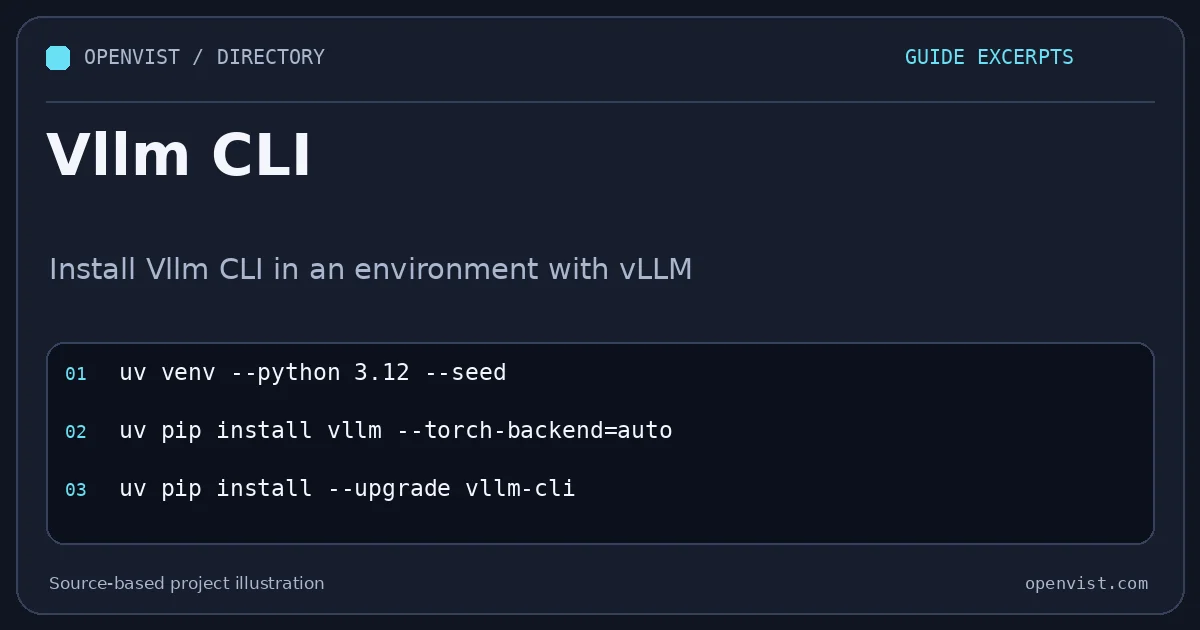
Create and activate a Python 3.12 environment with uv: the command below followed by
source .venv/bin/activate.uv venv --python 3.12 --seedInstall vLLM with the command below.
uv pip install vllm --torch-backend=autoInstall the CLI with the command below.
uv pip install --upgrade vllm-cliLaunch it with the command below.
uv run vllm-cli
Expected outcome
The Vllm CLI interactive interface opens in the environment where vLLM is installed.
Guide limitations
- The CLI does not install vLLM or PyTorch by default.
- The documented example uses Python 3.12, although the stated minimum is Python 3.9.
- The instructions warn that mismatched PyTorch and vLLM CUDA components can cause errors.
Start a model server with a direct CLI command
Use the documented serve command to request a vLLM server for a named model.
Before you start
- Vllm CLI installed.
- vLLM installed in the environment.
- Python 3.9 or later; a CUDA-compatible GPU is recommended.
Steps
Open a terminal in the environment containing Vllm CLI and vLLM.
Run
vllm-cli serve --model openai/gpt-oss-20b.
Expected outcome
The command requests serving the named model through vLLM.
Guide limitations
- The README does not specify the resulting server address, additional model access requirements or deployment settings.
Compare options for Model inference and serving
These projects document a common task and share a project role. This is a source-based comparison, not an execution benchmark or a guarantee of interchangeability.
| Project | Documented purpose | Platform | Access and requirements |
|---|---|---|---|
| Vllm CLI | Start a vLLM server for a named model. | CLI | The public repository identifies the project as MIT-licensed. Its README lists Python 3.9 or later and recommends a CUDA-compatible GPU. |
| Rten | Load an ONNX model and run CPU inference from Rust. | Linux, macOS, Windows, Server | |
| Moe Infinity | Serve MoE models whose expert weights do not all fit in GPU memory. | Linux, Server, Self-hosted | The repository is public and identifies its license as Apache-2.0. Installation documentation specifies Python 3.10 or later and a CUDA-capable GPU. |
Sources & review
Source record details
- Source availability
- Active
- Sources checked
- 11 November 2026
- Original website title
- Chen-zexi/vllm-cli · Official homepage title · retained in its source language