
OpenViSTAI · Agents · Blockchain · Crypto
Menu
OPENVIST RECIPES

Check required keys in a local JSON configuration file

Python

Read a local JSON file, compare its top-level object keys with CLI-supplied required keys, and report sorted missing keys without printing any configuration values.

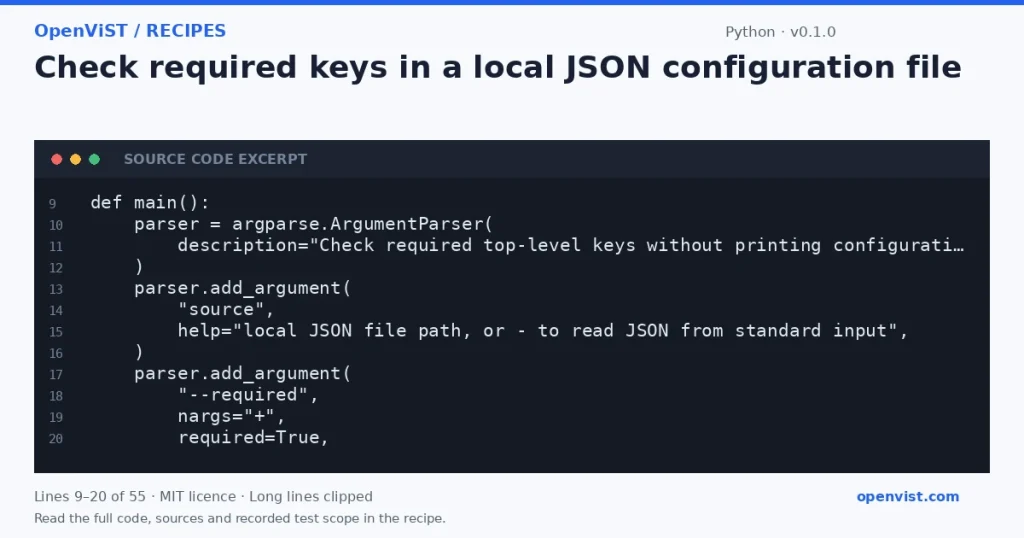
Python code excerpt: Check required keys in a local JSON configuration file. Version 0.1.0. Read the full recipe for code, sources and recorded test scope.

A small, offline check can catch incomplete configuration before another tool reads it. This script accepts either a local file path or JSON on standard input, verifies that the JSON root is an object, and prints only the missing key names—not values that might contain credentials. It uses Python’s standard `argparse` command-line parsing and `json.loads` decoding. The documented APIs establish those building blocks; the exact configuration-check task is an example built from them, not a documented external service feature.

Before you start

  • Intended runner: Python 3.12. This states the intended runner, not a tested minimum version.
  • Only Python standard-library modules are used: argparse, json, pathlib, and sys.
  • The input file must be readable UTF-8 JSON, or JSON may be supplied on stdin using source `-`.
  • Required key names are supplied as one or more values after `--required`. Only top-level object keys are checked.

Build and check

  1. Save the code as `check_config.py`.
  2. Create a small synthetic JSON object in a local file, including a harmless dummy value for any credential-like key.
  3. Run the command with `--required` followed by keys that are present and one that is absent.
  4. Check that the output lists only the absent key names, in sorted order, and contains no values from the JSON.
  5. Repeat with stdin using `-`, then try empty, malformed, non-object, and nonexistent-file inputs.

Limits to understand

  • This checks key presence only; it does not validate value types, formats, nested keys, or whether a value is safe or usable.
  • The script reads the full input into memory; the Python JSON documentation cautions that untrusted JSON can consume substantial CPU and memory, so use appropriately bounded local fixtures.
  • Missing keys return exit status 1; input and validation errors return 2; a complete configuration returns 0. No retries are performed.

What this example adds

There is no upstream code to adapt. The proposed example turns the documented command-line parser and JSON decoder into a local configuration check, adds file-or-stdin input, sorted missing-key output, and error handling that avoids displaying configuration contents.

Run it

Save as `check_config.py`. Run `python3.12 check_config.py settings.json --required api_url token`; use `-` instead of the path to read JSON from standard input, for example `printf '{"api_url":"local","token":"hidden"}' | python3.12 check_config.py - --required api_url token`.

Example input

Local file `settings.json`:
{"api_url":"https://example.invalid","token":"do-not-print","region":"test"}

Command:
`python3.12 check_config.py settings.json --required token api_url region signing_key`

Expected output

missing keys: signing_key

The configured values, including `token`, are not printed.
INSPECT THE SCRIPT

Inspect, copy and run the documented checks.

This browser preview builds code locally. It does not contact an API or run the code.

Default example ready.

Python example
# SPDX-License-Identifier: MIT
# Copyright (c) 2026 OpenViST contributors
import argparse
import json
import pathlib
import sys


def main():
    parser = argparse.ArgumentParser(
        description="Check required top-level keys without printing configuration values."
    )
    parser.add_argument(
        "source",
        help="local JSON file path, or - to read JSON from standard input",
    )
    parser.add_argument(
        "--required",
        nargs="+",
        required=True,
        metavar="KEY",
        help="one or more required top-level keys",
    )
    args = parser.parse_args()

    try:
        if args.source == "-":
            text = sys.stdin.read()
        else:
            text = pathlib.Path(args.source).read_text(encoding="utf-8")
    except (OSError, UnicodeError):
        print("error: could not read input", file=sys.stderr)
        return 2

    try:
        config = json.loads(text)
    except json.JSONDecodeError:
        print("error: invalid JSON", file=sys.stderr)
        return 2

    if not isinstance(config, dict):
        print("error: JSON root must be an object", file=sys.stderr)
        return 2

    missing = sorted(set(args.required) - config.keys())
    if missing:
        print("missing keys: " + ", ".join(missing))
        return 1

    print("all required keys are present")
    return 0


if __name__ == "__main__":
    sys.exit(main())
What to verify after running
  • With `{ "a": 1, "b": 2 }` and required keys `b c a`, confirm stdout is exactly `missing keys: c` and no values appear.
  • With `{ "a": "dummy" }` and required key `a`, confirm stdout is `all required keys are present`.
  • With empty input and with malformed text such as `{`, confirm the script reports `error: invalid JSON` to stderr and does not print input text.
  • With valid JSON `[]`, `null`, or a string root, confirm it reports `error: JSON root must be an object`.
  • Use a nonexistent path and a path containing invalid UTF-8; confirm each produces the generic read error without disclosing file content.
  • Pipe valid JSON into source `-` and confirm the same key-check behavior as file input; verify that neither successful nor missing-key output includes JSON values.

Request or format preview

Illustrative preview. No provider response, price or balance is fetched.

Change a setting to inspect the preview.

Official sources and related profiles

    Code license: MIT. Keep the license notice with your copy.

    Example version 0.1.0 · Documentation reviewed 2026-10-11.

    Executed 6 synthetic local fixture cases in isolated CPython 3.12.15 on GitHub Actions, without network access. Declared exit codes, output assertions and input integrity checks passed. Live services, installed third-party packages and production behavior remain outside scope. Editorial approval is still required.

    Related browser tools

    Inspect related data locally in your browser. These tools have their own input rules and limits; they do not execute this recipe.