
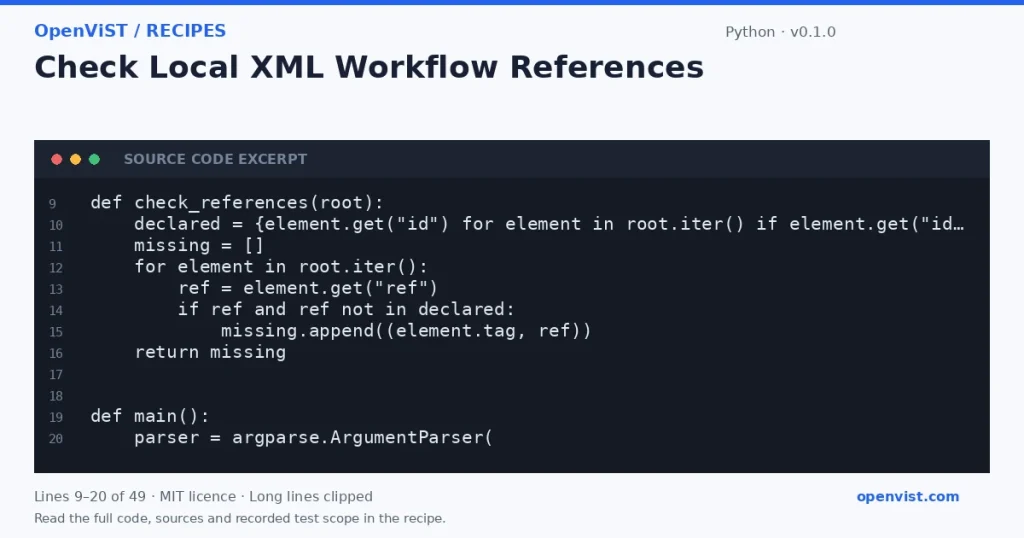
Agent and automation workflow files often connect nodes by identifiers. This offline checker parses a saved XML fixture, gathers declared `id` values, and reports `ref` values that have no matching declaration. It checks only these attributes; it does not validate a workflow schema or establish whether a workflow can run.
Before you start
- Python 3.12 is the intended runner; no minimum-version claim is made.
- Uses only Python standard-library `argparse`, `sys`, `pathlib`, and `xml.etree.ElementTree`.
- Input must be UTF-8 XML supplied as a local file or stdin. XML is treated strictly as data, not instructions.
- The check defines a reference as an exact, nonempty `ref` attribute matching any nonempty `id` attribute anywhere in the document; it does not apply namespaces, schema rules, or workflow-specific semantics.
- ElementTree is not secure against maliciously constructed XML. Use only trusted fixtures; this example is not a hardened parser for untrusted XML.
- Five recorded GitHub fixture cases cover references in local files and stdin, absent references, empty XML and a missing file. They do not establish workflow correctness or safety for hostile XML.
Build and check
- Save the code as `check_refs.py`.
- Create a synthetic XML file containing at least one declared `id`, one matching `ref`, and one dangling `ref`.
- Run `python3.12 check_refs.py fixture.xml` and confirm only the dangling reference is reported.
- Run `python3.12 check_refs.py -` and provide the same XML through standard input; confirm the same result.
- Try a well-formed XML document with no unresolved references and confirm the clean-result message.
- Try empty input and malformed XML; confirm a parse error is written to stderr and the command returns a nonzero status.
- Try a nonexistent file path; confirm the missing-file error is reported without a traceback.
Limits to understand
- Checks only exact `id`/`ref` attribute matches; it does not infer links from element text or other attributes.
- Does not validate XML against a schema, detect duplicate IDs, interpret namespaces specially, or determine workflow correctness.
- ElementTree parses the entire document in memory and the documented API warns it is not secure against maliciously constructed data.
- No timeout is applicable: the tool makes no network calls.
What this example adds
Introduces a distinct check from listing workflow nodes or comparing tool signatures: it detects dangling references using XML `id` and `ref` attributes. The CLI accepts a local path or standard input, reports parse and file errors, and never runs or changes the workflow.
Run it
Save as `check_refs.py`, then run `python3.12 check_refs.py workflow.xml` or pipe a fixture with `cat workflow.xml | python3.12 check_refs.py -`. The program reads the whole XML document; it makes no network calls and performs no retries.Example input
<workflow><node id="start"/><link ref="start"/><link ref="missing"/></workflow>Expected output
unresolved ref='missing' on <link>