
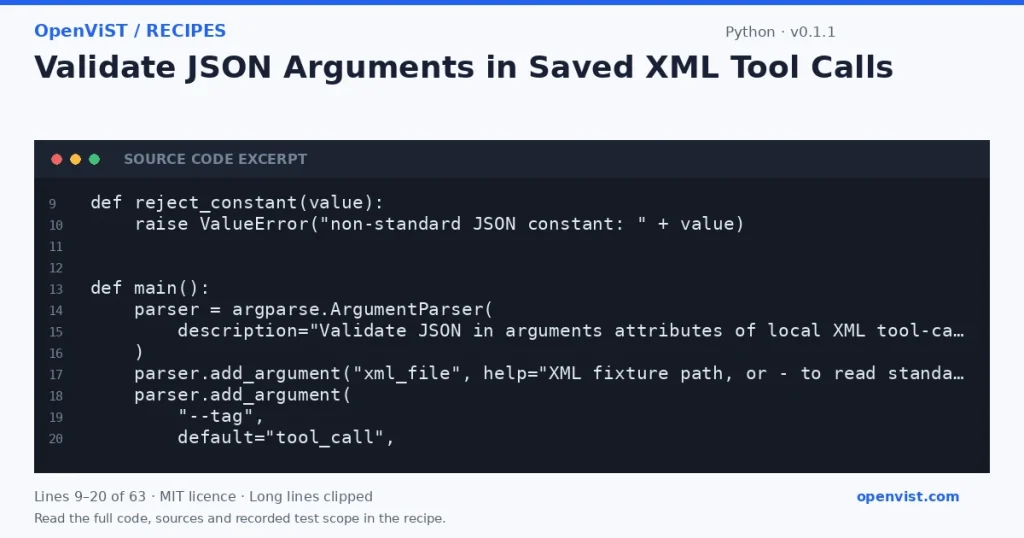
Agent workflow exports may store a proposed tool call’s arguments as JSON inside an XML attribute. This offline checker parses a saved XML file and validates that embedded JSON, helping catch malformed records before a workflow is reviewed or imported. It does not interpret, invoke, or otherwise act on any tool call.
Before you start
- Use only Python standard-library interfaces documented by the supplied Python 3.12 sources: `argparse` for CLI arguments and `xml.etree.ElementTree` for XML parsing; `json` is used for embedded JSON validation.
- Read one user-supplied XML path or XML from standard input (`-`). Treat all file contents as data, not instructions.
- Inspect elements matching the exact CLI-selected tag; by default the tag is `tool_call`. Require an `arguments` attribute containing JSON, and report invalid or missing values by one-based matching-element position.
- Do not execute calls, modify files, contact external services, or print argument values. Write results to stdout and errors to stderr.
- Intended runner is Python 3.12; no minimum-version claim is made. The cited argparse documentation says argparse was added in Python 3.2, and the cited ElementTree documentation describes the XML parsing interfaces used here.
- ElementTree is not secure against maliciously constructed XML. Use only suitable, trusted local fixtures; this example does not claim to safely process hostile XML.
Build and check
- Save the proposed script as `check_xml_arguments.py`.
- Create a small XML fixture with several `tool_call` elements, including valid JSON, malformed JSON, and a missing `arguments` attribute.
- Run `python3 check_xml_arguments.py fixture.xml` and compare the reported positions with the fixture.
- Try a different exact element tag with `--tag action`, then verify that nonmatching elements are not counted.
- Pipe a valid XML fixture through standard input using `python3 check_xml_arguments.py -` and verify the summary.
- Try empty XML, malformed XML, and a nonexistent path; confirm each produces an error on stderr and a nonzero exit status.
Limits to understand
- This validates JSON syntax only. It does not check whether arguments match a tool schema, whether a tool exists, or whether a workflow is safe or executable.
- The default tag is the exact unnamespaced name `tool_call`; namespaced tags and alternate schemas require choosing a matching tag appropriate to the parsed XML.
- ElementTree skips comments, processing instructions, and document type declarations during parsing, as described by the supplied documentation.
- ElementTree is not secure against maliciously constructed data; this small example is for suitable local fixtures, not hostile XML.
- The parser reads the full XML input before reporting results; this is not a streaming or large-document tool.
What this example adds
Creates a distinct check for JSON embedded in XML attributes. It differs from checking workflow references, listing selected nodes, or comparing XML tool signatures: it parses each selected element’s `arguments` value as JSON and reports only the matching element positions that fail validation. The checker never prints argument contents or executes workflow data. Version 0.1.1 rejects non-standard JSON constants; six independent offline cases passed for the current code.
Run it
Save as `check_xml_arguments.py`. Run `python3 check_xml_arguments.py workflow.xml`; use `--tag action` if the file uses a different exact element name, or pass `-` to read XML from standard input. Intended runner: Python 3.12. No external packages, network access, credentials, or timeout configuration are needed; the program has no network calls.Example input
<workflow>
<tool_call arguments="{"city":"Harborview"}" />
<tool_call arguments="{"count": }" />
<tool_call />
</workflow>Expected output
invalid: 2 of 3 matching elements
element 2: missing or invalid JSON arguments
element 3: missing or invalid JSON arguments