
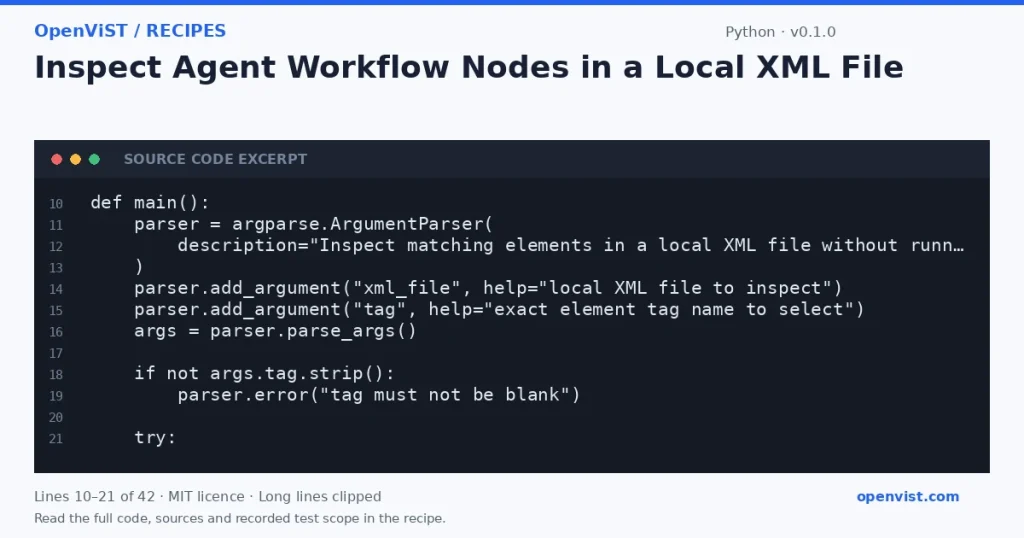
Workflow exports can contain configuration and action-like nodes that should be inspected as data, not run. This Python 3.12 CLI parses a user-supplied XML file and emits a JSON list of matching element tags and attributes. It is a local XML inspection tool, not a test of any agent runtime or blockchain service.
Before you start
- Intended runner: Python 3.12; no tested minimum Python version is claimed.
- Only the Python standard-library argparse, pathlib, sys, json, and xml.etree.ElementTree modules are used.
- Input is a local UTF-8 XML file and an exact, nonblank element tag argument; there are no credentials or external services.
- The code reads the complete file before parsing. It specifies no timeout because it makes no network calls.
Build and check
- Save the program as `inspect_workflow.py`.
- Create a synthetic local XML fixture containing matching and nonmatching elements, including action-like elements with harmless attributes.
- Run `python3.12 inspect_workflow.py fixture.xml action` and check that only matching elements appear, in document traversal order.
- Run `python3.12 inspect_workflow.py fixture.xml missing-tag` and check that the output is an empty JSON array.
- Try an empty file and malformed XML; verify the tool reports a parse error to stderr and exits with status 2.
- Try a nonexistent path and a non-UTF-8 fixture; verify a clear input error is sent to stderr with status 2.
Limits to understand
- ElementTree is documented as not secure against maliciously constructed XML. Use only trusted, appropriately bounded local fixtures; this tool is not a hardened parser for hostile XML.
- The complete input is loaded into memory before parsing, so it is intended for small files, not large exports.
- The tag match is exact and namespace-qualified names must be supplied in ElementTree's expanded-name form when applicable.
- The output contains attributes only; it does not validate workflow schemas, establish what an agent runtime would do, or execute any action.
- An empty file is not a well-formed XML document and produces a parse error; a valid document with no matching tag yields `[]`.
What this example adds
This is a new offline inspection task, not a variant of an existing task: it traverses an XML tree by an exact tag and exposes only each matching element's tag and attributes as JSON. It does not invoke workflow actions, interpret element text as instructions, or connect to an agent or blockchain service.
Run it
Save the code as `inspect_workflow.py`, then run `python3.12 inspect_workflow.py workflow.xml action`. The file is read locally as UTF-8; output is written to stdout and diagnostics to stderr. No network call or retry is made.Example input
<workflow><action name="read-state" mode="preview"/><action name="submit" mode="disabled"/><note>Do not execute this file.</note></workflow>Expected output
[{"attributes": {"mode": "preview", "name": "read-state"}, "tag": "action"}, {"attributes": {"mode": "disabled", "name": "submit"}, "tag": "action"}]