
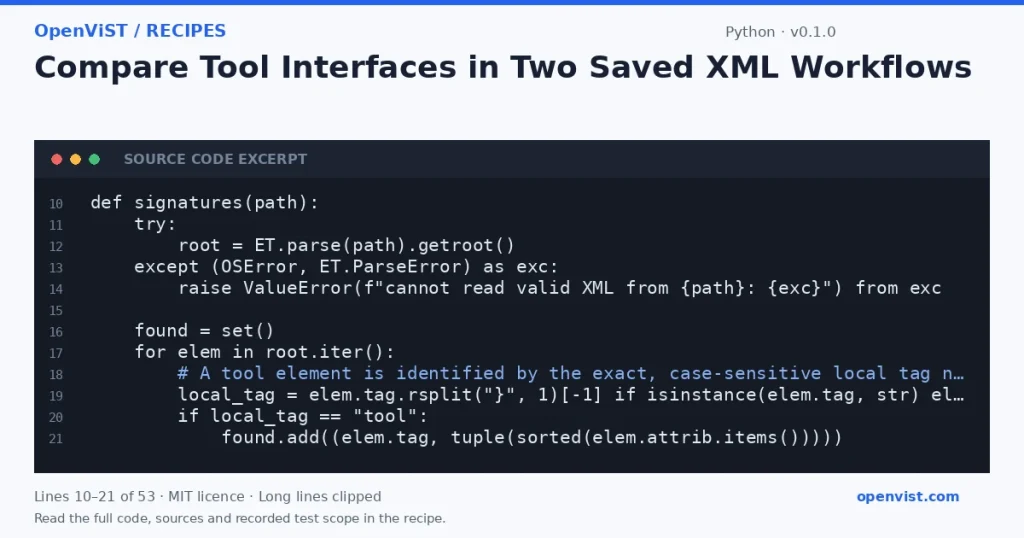
When reviewing agent-workflow edits, a structural comparison can show which tool-shaped XML elements were added or removed without running the workflows. This recipe compares exact element signatures from two user-supplied XML files; it is a local XML inspection, not a test of any agent, blockchain, or external service.
Before you start
- Use Python 3.12 as the intended runner; this recipe makes no claim about a tested minimum version.
- The Python standard library modules argparse, json, sys, pathlib, and xml.etree.ElementTree are sufficient; no installation, credentials, or network access are required.
- Provide two readable, well-formed XML files. ElementTree is not secure against maliciously constructed XML; use only trusted local fixtures.
- The tool identifies elements whose exact case-sensitive local tag name is `tool`; namespaced tool tags are matched by local name but reported with their original qualified tag.
Build and check
- Save the script as `compare_tools.py`.
- Create two small XML fixtures representing the earlier and later workflow structures.
- Run `python3.12 compare_tools.py before.xml after.xml` with the fixture paths as positional arguments.
- Review the `added` and `removed` JSON arrays; an empty array means no signature differences in that direction.
- Change one tool attribute in a fixture and rerun to confirm the old signature is removed and the changed signature is added.
Limits to understand
- This is a structural XML comparison, not a workflow validator or an execution test; it does not establish that any tool works or that an external service is available.
- Only elements with the exact local tag name `tool` are considered; other possible tool-node conventions are not inferred.
- Signatures include all attributes, so changing any attribute produces an added and removed entry. Text, child elements, namespaces beyond the original tag string, and ordering among repeated identical signatures are not compared.
- Repeated identical tool signatures collapse to one set entry; this tool compares distinct signatures, not occurrence counts.
- XML parsing reads each document as a whole. Do not use this small recipe for very large documents or untrusted XML.
What this example adds
The comparison is useful for reviewing a workflow revision because it reports added and removed tool signatures, rather than merely listing selected XML elements from one file. It emits deterministic JSON and treats a signature as the exact XML tag plus its sorted attribute pairs. Attribute changes therefore count as removal of the old signature and addition of a new one; child content and element order are deliberately ignored.
Run it
Save the code as compare_tools.py, then run `python3.12 compare_tools.py before.xml after.xml`. It reads both named local files, prints JSON to standard output, and reports file or XML parse errors to standard error with a nonzero exit status. Python 3.12 is the intended runner; no minimum-version claim is made.Example input
before.xml:
<workflow><tool name="lookup" mode="read"/><step/></workflow>

after.xml:
<workflow><tool name="lookup" mode="read"/><tool name="quote" mode="read"/></workflow>
Expected output
{
  "added": [
    {
      "tag": "tool",
      "attributes": {
        "mode": "read",
        "name": "quote"
      }
    }
  ],
  "removed": []
}