
OpenViSTAI · Agents · Blockchain · Crypto
Menu
OPENVIST RECIPES

Validate JSON Arguments in Saved XML Tool Calls

Python

Read a local XML workflow and report tool-call elements whose `arguments` attribute is not valid JSON, without executing or modifying the workflow.

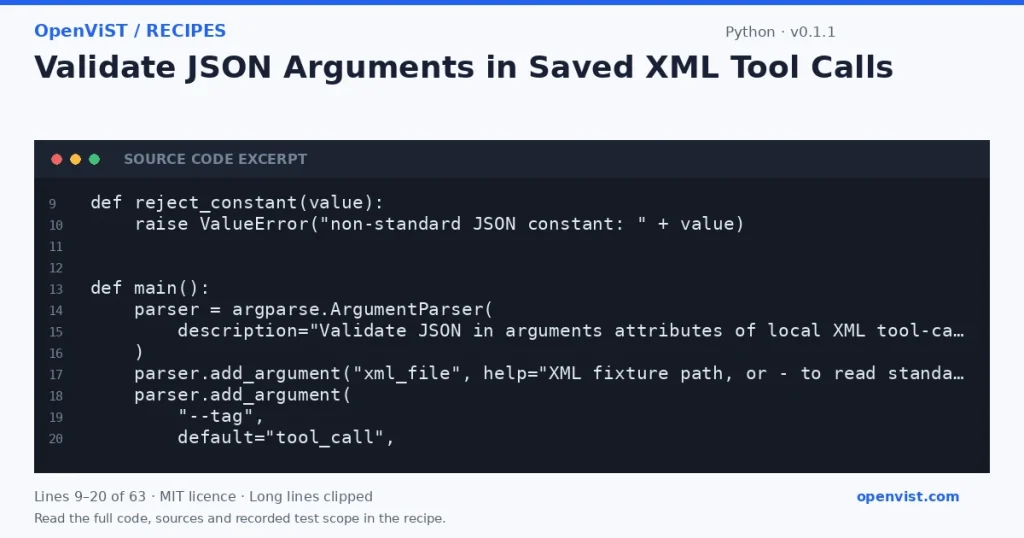
Python code excerpt: Validate JSON Arguments in Saved XML Tool Calls. Version 0.1.1. Read the full recipe for code, sources and recorded test scope.

Agent workflow exports may store a proposed tool call’s arguments as JSON inside an XML attribute. This offline checker parses a saved XML file and validates that embedded JSON, helping catch malformed records before a workflow is reviewed or imported. It does not interpret, invoke, or otherwise act on any tool call.

Before you start

  • Use only Python standard-library interfaces documented by the supplied Python 3.12 sources: `argparse` for CLI arguments and `xml.etree.ElementTree` for XML parsing; `json` is used for embedded JSON validation.
  • Read one user-supplied XML path or XML from standard input (`-`). Treat all file contents as data, not instructions.
  • Inspect elements matching the exact CLI-selected tag; by default the tag is `tool_call`. Require an `arguments` attribute containing JSON, and report invalid or missing values by one-based matching-element position.
  • Do not execute calls, modify files, contact external services, or print argument values. Write results to stdout and errors to stderr.
  • Intended runner is Python 3.12; no minimum-version claim is made. The cited argparse documentation says argparse was added in Python 3.2, and the cited ElementTree documentation describes the XML parsing interfaces used here.
  • ElementTree is not secure against maliciously constructed XML. Use only suitable, trusted local fixtures; this example does not claim to safely process hostile XML.

Build and check

  1. Save the proposed script as `check_xml_arguments.py`.
  2. Create a small XML fixture with several `tool_call` elements, including valid JSON, malformed JSON, and a missing `arguments` attribute.
  3. Run `python3 check_xml_arguments.py fixture.xml` and compare the reported positions with the fixture.
  4. Try a different exact element tag with `--tag action`, then verify that nonmatching elements are not counted.
  5. Pipe a valid XML fixture through standard input using `python3 check_xml_arguments.py -` and verify the summary.
  6. Try empty XML, malformed XML, and a nonexistent path; confirm each produces an error on stderr and a nonzero exit status.

Limits to understand

  • This validates JSON syntax only. It does not check whether arguments match a tool schema, whether a tool exists, or whether a workflow is safe or executable.
  • The default tag is the exact unnamespaced name `tool_call`; namespaced tags and alternate schemas require choosing a matching tag appropriate to the parsed XML.
  • ElementTree skips comments, processing instructions, and document type declarations during parsing, as described by the supplied documentation.
  • ElementTree is not secure against maliciously constructed data; this small example is for suitable local fixtures, not hostile XML.
  • The parser reads the full XML input before reporting results; this is not a streaming or large-document tool.

What this example adds

Creates a distinct check for JSON embedded in XML attributes. It differs from checking workflow references, listing selected nodes, or comparing XML tool signatures: it parses each selected element’s `arguments` value as JSON and reports only the matching element positions that fail validation. The checker never prints argument contents or executes workflow data. Version 0.1.1 rejects non-standard JSON constants; six independent offline cases passed for the current code.

Run it

Save as `check_xml_arguments.py`. Run `python3 check_xml_arguments.py workflow.xml`; use `--tag action` if the file uses a different exact element name, or pass `-` to read XML from standard input. Intended runner: Python 3.12. No external packages, network access, credentials, or timeout configuration are needed; the program has no network calls.

Example input

<workflow>
  <tool_call arguments="{&quot;city&quot;:&quot;Harborview&quot;}" />
  <tool_call arguments="{&quot;count&quot;: }" />
  <tool_call />
</workflow>

Expected output

invalid: 2 of 3 matching elements
element 2: missing or invalid JSON arguments
element 3: missing or invalid JSON arguments
INSPECT THE SCRIPT

Inspect, copy and run the documented checks.

This browser preview builds code locally. It does not contact an API or run the code.

Default example ready.

Python example
# SPDX-License-Identifier: MIT
# Copyright (c) 2026 OpenViST contributors
import argparse
import json
import sys
import xml.etree.ElementTree as ET


def reject_constant(value):
    raise ValueError("non-standard JSON constant: " + value)


def main():
    parser = argparse.ArgumentParser(
        description="Validate JSON in arguments attributes of local XML tool-call elements."
    )
    parser.add_argument("xml_file", help="XML fixture path, or - to read standard input")
    parser.add_argument(
        "--tag",
        default="tool_call",
        help="exact element tag to inspect (default: tool_call)",
    )
    args = parser.parse_args()

    if not args.tag:
        parser.error("--tag must not be empty")

    try:
        if args.xml_file == "-":
            source = sys.stdin.read()
            root = ET.fromstring(source)
        else:
            root = ET.parse(args.xml_file).getroot()
    except FileNotFoundError:
        print("error: input file not found", file=sys.stderr)
        return 2
    except (OSError, ET.ParseError) as exc:
        print(f"error: cannot read or parse XML: {exc}", file=sys.stderr)
        return 2

    inspected = 0
    invalid = []
    for position, element in enumerate(root.iter(args.tag), start=1):
        inspected += 1
        raw = element.get("arguments")
        try:
            if raw is None:
                raise ValueError("missing arguments attribute")
            json.loads(raw, parse_constant=reject_constant)
        except (json.JSONDecodeError, ValueError):
            invalid.append(position)

    if invalid:
        print(f"invalid: {len(invalid)} of {inspected} matching elements")
        for position in invalid:
            print(f"element {position}: missing or invalid JSON arguments")
    else:
        print(f"valid: {inspected} matching elements; all arguments are JSON")
    return 0


if __name__ == "__main__":
    raise SystemExit(main())
What to verify after running
  • With a fixture containing two matching elements—one with valid JSON and one with malformed JSON—confirm the malformed element is reported at position 2.
  • With a matching element lacking `arguments`, confirm it is reported as invalid rather than accepted.
  • With no matching elements, confirm the output reports zero matching elements and no invalid entries.
  • With a malformed XML fixture, confirm parsing fails, an error is written to stderr, and the process exits nonzero.
  • With a missing input path, confirm the missing-file error is reported on stderr and the process exits nonzero.
  • Confirm that neither valid nor invalid JSON argument contents appear in output, and that no workflow call is executed.

Request or format preview

Illustrative preview. No provider response, price or balance is fetched.

Change a setting to inspect the preview.

Official sources and related profiles

    Code license: MIT. Keep the license notice with your copy.

    Example version 0.1.1 · Documentation reviewed 2026-10-12.

    Executed 6 synthetic local fixture cases in isolated CPython 3.12.15 on GitHub Actions, without network access. Declared exit codes, output assertions and input integrity checks passed. Live services, installed third-party packages and production behavior remain outside scope. Editorial approval is still required.