
OpenViSTAI · Agents · Blockchain · Crypto
Menu
OPENVIST RECIPES

Check Local XML Workflow References

Python

Read an XML workflow file and report elements whose `ref` attribute points to no declared `id`, without executing or modifying the workflow.

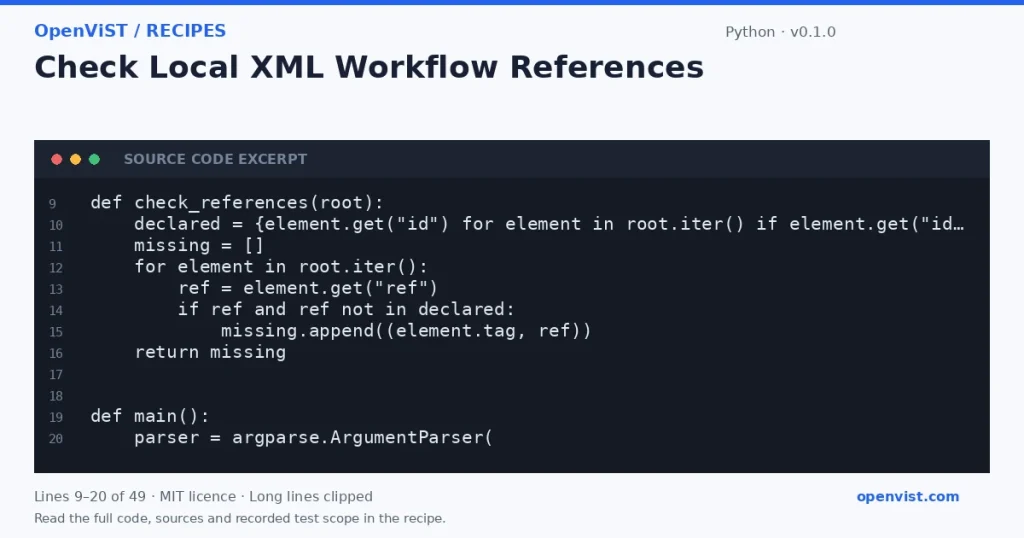
Python code excerpt: Check Local XML Workflow References. Version 0.1.0. Read the full recipe for code, sources and recorded test scope.

Agent and automation workflow files often connect nodes by identifiers. This offline checker parses a saved XML fixture, gathers declared `id` values, and reports `ref` values that have no matching declaration. It checks only these attributes; it does not validate a workflow schema or establish whether a workflow can run.

Before you start

  • Python 3.12 is the intended runner; no minimum-version claim is made.
  • Uses only Python standard-library `argparse`, `sys`, `pathlib`, and `xml.etree.ElementTree`.
  • Input must be UTF-8 XML supplied as a local file or stdin. XML is treated strictly as data, not instructions.
  • The check defines a reference as an exact, nonempty `ref` attribute matching any nonempty `id` attribute anywhere in the document; it does not apply namespaces, schema rules, or workflow-specific semantics.
  • ElementTree is not secure against maliciously constructed XML. Use only trusted fixtures; this example is not a hardened parser for untrusted XML.
  • Five recorded GitHub fixture cases cover references in local files and stdin, absent references, empty XML and a missing file. They do not establish workflow correctness or safety for hostile XML.

Build and check

  1. Save the code as `check_refs.py`.
  2. Create a synthetic XML file containing at least one declared `id`, one matching `ref`, and one dangling `ref`.
  3. Run `python3.12 check_refs.py fixture.xml` and confirm only the dangling reference is reported.
  4. Run `python3.12 check_refs.py -` and provide the same XML through standard input; confirm the same result.
  5. Try a well-formed XML document with no unresolved references and confirm the clean-result message.
  6. Try empty input and malformed XML; confirm a parse error is written to stderr and the command returns a nonzero status.
  7. Try a nonexistent file path; confirm the missing-file error is reported without a traceback.

Limits to understand

  • Checks only exact `id`/`ref` attribute matches; it does not infer links from element text or other attributes.
  • Does not validate XML against a schema, detect duplicate IDs, interpret namespaces specially, or determine workflow correctness.
  • ElementTree parses the entire document in memory and the documented API warns it is not secure against maliciously constructed data.
  • No timeout is applicable: the tool makes no network calls.

What this example adds

Introduces a distinct check from listing workflow nodes or comparing tool signatures: it detects dangling references using XML `id` and `ref` attributes. The CLI accepts a local path or standard input, reports parse and file errors, and never runs or changes the workflow.

Run it

Save as `check_refs.py`, then run `python3.12 check_refs.py workflow.xml` or pipe a fixture with `cat workflow.xml | python3.12 check_refs.py -`. The program reads the whole XML document; it makes no network calls and performs no retries.

Example input

<workflow><node id="start"/><link ref="start"/><link ref="missing"/></workflow>

Expected output

unresolved ref='missing' on <link>
INSPECT THE SCRIPT

Inspect, copy and run the documented checks.

This browser preview builds code locally. It does not contact an API or run the code.

Default example ready.

Python example
# SPDX-License-Identifier: MIT
# Copyright (c) 2026 OpenViST contributors
import argparse
import sys
import xml.etree.ElementTree as ET
from pathlib import Path


def check_references(root):
    declared = {element.get("id") for element in root.iter() if element.get("id")}
    missing = []
    for element in root.iter():
        ref = element.get("ref")
        if ref and ref not in declared:
            missing.append((element.tag, ref))
    return missing


def main():
    parser = argparse.ArgumentParser(
        description="Report XML elements whose ref attribute has no matching id."
    )
    parser.add_argument("file", help="local XML fixture path, or - to read stdin")
    args = parser.parse_args()

    try:
        if args.file == "-":
            xml_text = sys.stdin.read()
        else:
            xml_text = Path(args.file).read_text(encoding="utf-8")
        root = ET.fromstring(xml_text)
    except FileNotFoundError:
        print("error: input file not found", file=sys.stderr)
        return 2
    except (OSError, UnicodeError, ET.ParseError) as exc:
        print(f"error: cannot read or parse XML: {exc}", file=sys.stderr)
        return 2

    missing = check_references(root)
    if not missing:
        print("No unresolved ref attributes.")
    else:
        for tag, ref in missing:
            print(f"unresolved ref={ref!r} on <{tag}>")
    return 0


if __name__ == "__main__":
    sys.exit(main())
What to verify after running
  • Use a fixture with two declared IDs and references to one existing and one absent ID; verify only the absent one is reported.
  • Use a fixture with no `ref` attributes; verify the no-unresolved-references message.
  • Use empty stdin and malformed XML; verify a readable error, nonzero exit status, and no partial success output.
  • Use a nonexistent path; verify the missing-file error and nonzero exit status.
  • Confirm the tool does not write to or modify its input fixture.

Request or format preview

Illustrative preview. No provider response, price or balance is fetched.

Change a setting to inspect the preview.

Official sources and related profiles

    Code license: MIT. Keep the license notice with your copy.

    Example version 0.1.0 · Documentation reviewed 2026-10-12.

    Executed 5 synthetic local fixture cases in isolated CPython 3.12.15 on GitHub Actions, without network access. Declared exit codes, output assertions and input integrity checks passed. Live services, installed third-party packages and production behavior remain outside scope. Editorial approval is still required.